How to download the Zurel app (regular version)
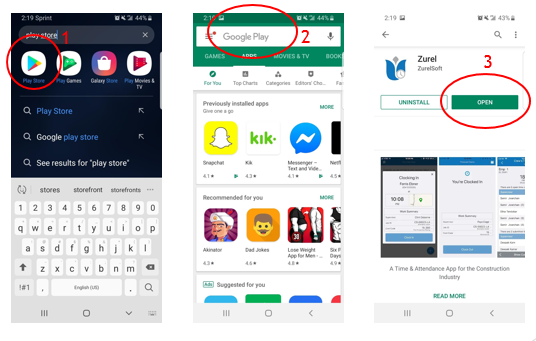
Android:
1) In the first step, you will need to access your phone’s app store
2) Once your store window has appeared, go ahead and search for “Zurel.”
3) Click on the app and then install it
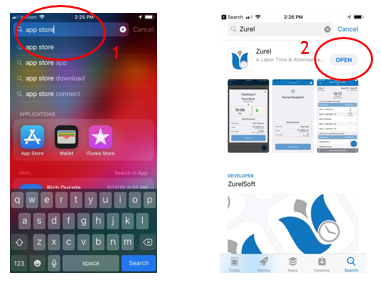
iOS:
1) In the first step, you will need to access your App Store
2) Once your store window has appeared, go ahead and search for “Zurel.”
3) Within the search results, you will have two options: Zurel and Zurel Pro. The one you have to select is “Zurel”. After you have selected it, click on the install icon