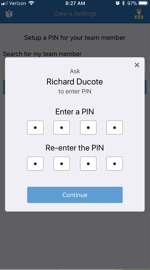
Creating a PIN for an Employee as a Supervisor
Step 1: Open your Zurel Pro app, and the screen should look like this
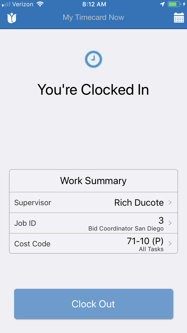
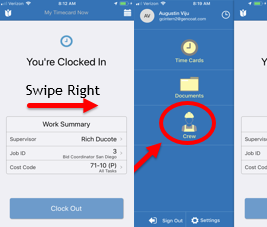
Step 2: Swipe right and then select crew. After selecting the crew, click on the plus symbol to add the employee to the crew
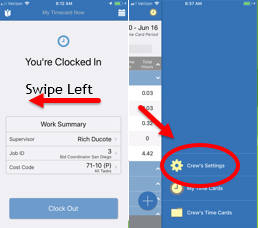
Step 3: Return to the home screen, swipe left, and then select “Crew’s settings.“
Step 4: Search for the employee and select him/her
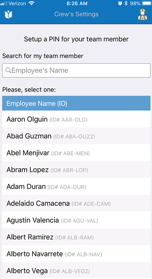
Step 5: Hand the phone over to the employee and have them insert their PIN