Changing Your Supervisor
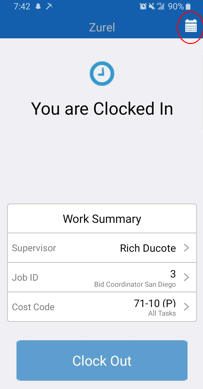
Step 1: The first step is to select the calendar icon in the top right corner of your screen
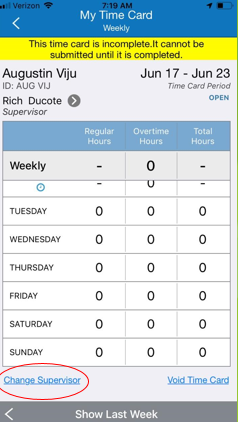
Step 2: After you have selected your time card, select the “Change Supervisor” option at the bottom
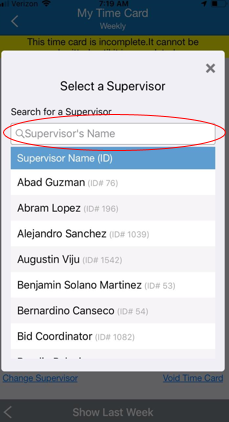
Step 3: Search for the name of your supervisor and select him/her