
Updating the Job ID and Cost Code
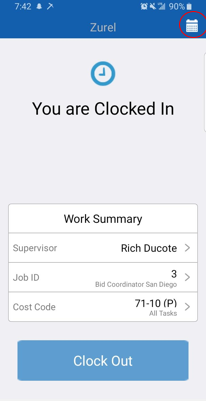
Step 1: Go to your main screen and select the calendar in the top right corner
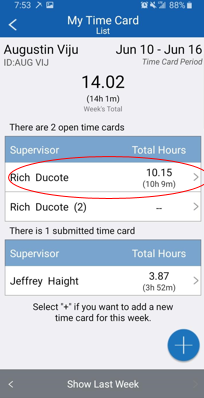
Step 2: Select the time card you wish to update with the appropriate information
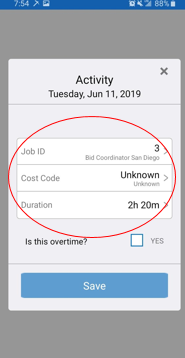
Step 3: Select the Job ID and the cost code
Step 1: Go to your main screen and select the calendar in the top right corner
Step 2: Select the time card you wish to update with the appropriate information
Step 3: Select the Job ID and the cost code