How to add a video to your toolbox talk topic
You can add videos to your toolbox talks, making them more effective tools for your safety training. Here is how you can do so.
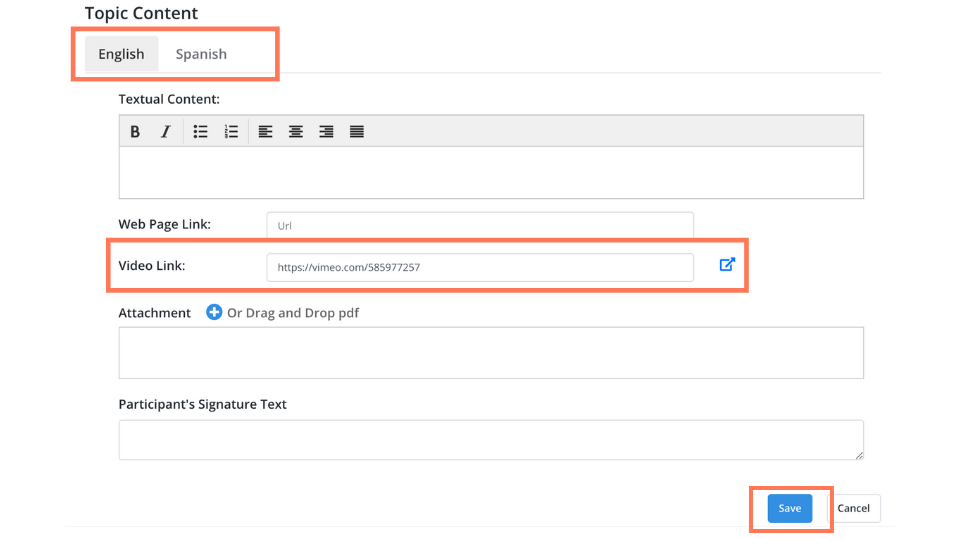
Open the Topic Content & Configuration page. Scroll down to the section called Topic Content. For your video in English, select the tab labeled English. For your video in Spanish, select the tab labeled Spanish. In the text box labeled Video Link, enter the URL of the video. After you’re done, make sure to save it by clicking “Save”.