
How to download CSV records of trainings
Downloading CSV records lets you make a database of your trainings in Excel. You might want to download your training in this format to organize your training data more efficiently.
Platform: Zurel.app (Website)
From the Zurel.app website dashboard, select Settings>Toolbox Talks> Completed to navigate to the Completed Toolbox Talks page.
Completed Toolbox Talks
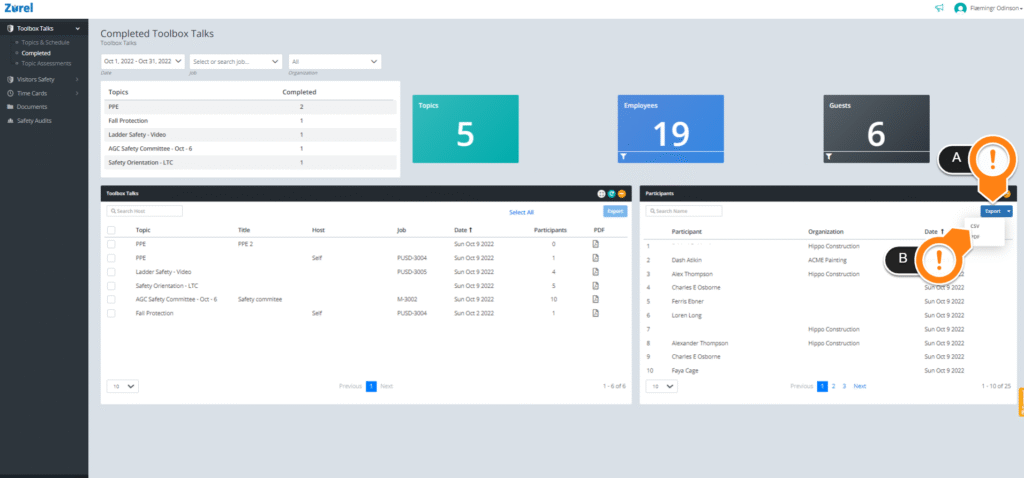
On this page, click on the Export(A) button. Then, click on CSV(B) to download a record of your training.