
How to suspend or unsuspend an organization
An organization may be suspended or unsuspended by any user with one of the following roles
- Admin
- Visitors Log Manager
- Site Manager
To suspend a visitor:
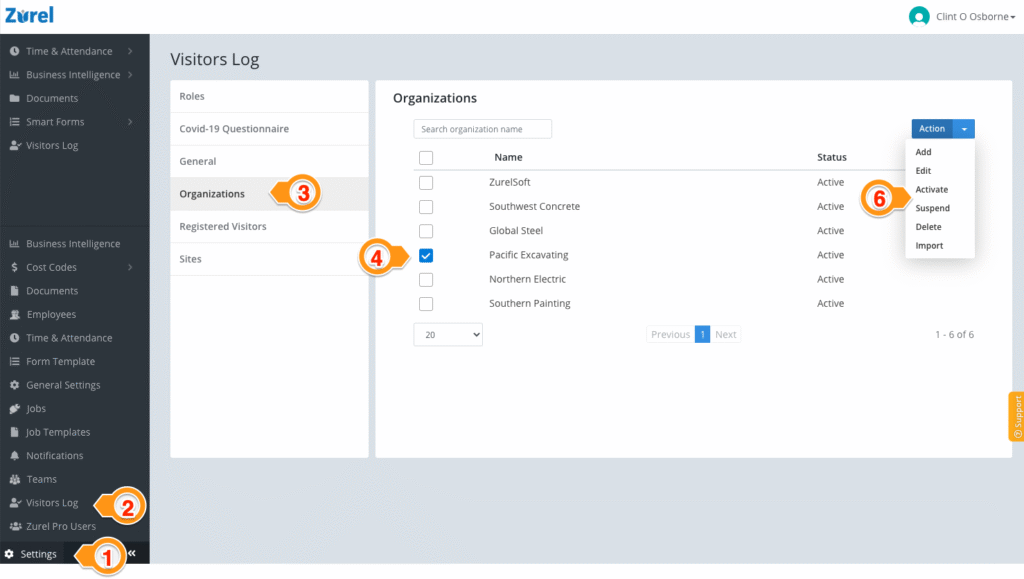
- Select Settings
- Select Visitors Log
- Select Organizations
- Select the organization (s) you want to suspend or unsuspend
- Select Suspend or Unsuspend/Active for the dropdown menu.
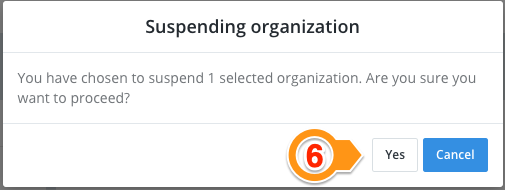
- Select OK
Note:
- Once suspended, anyone associated with the organization is no longer able to sign in until the organization is unsuspended.
- Suspending an organization does not affect the past sign-in outcomes.