
How to change or delete a user role
Changing a user’s role lets you give your users different roles according to their needs. You might need to delete or change a user’s role when you want them to have privileges that fit their work. To change or delete a user role, you need the Toolbox Talks Admin or Manager role.
Platform: Zurel.app (Website)
From the Zurel.app website dashboard, select Settings>Toolbox Talks> Roles to navigate to the Roles Settings page.
Toolbox Talks
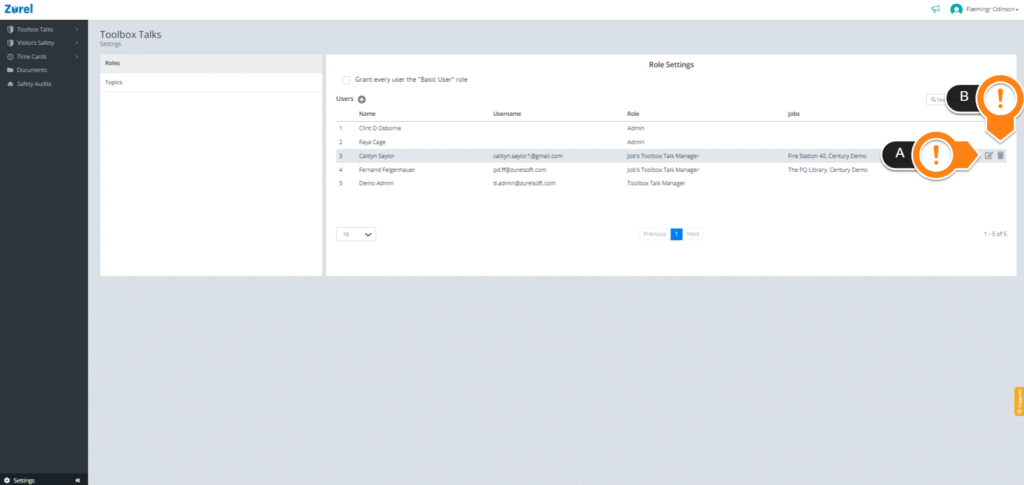
On this page, hover over your user. Click on the edit icon (A) to change the role and the delete icon (B) to delete the user role.