
How to download PDF records of trainings
Downloading PDF records of your training lets you view and save information filled out by your participants in the toolbox topic form in detail. The PDFs include information like names of the participants, the organization name, the name of the host, their signatures, and the meeting content.
Platform: Zurel.app (Website)
From the Zurel.app website dashboard, select Settings>Toolbox Talks> Completed to navigate to the Completed Toolbox Talks page.
Completed Toolbox Talks
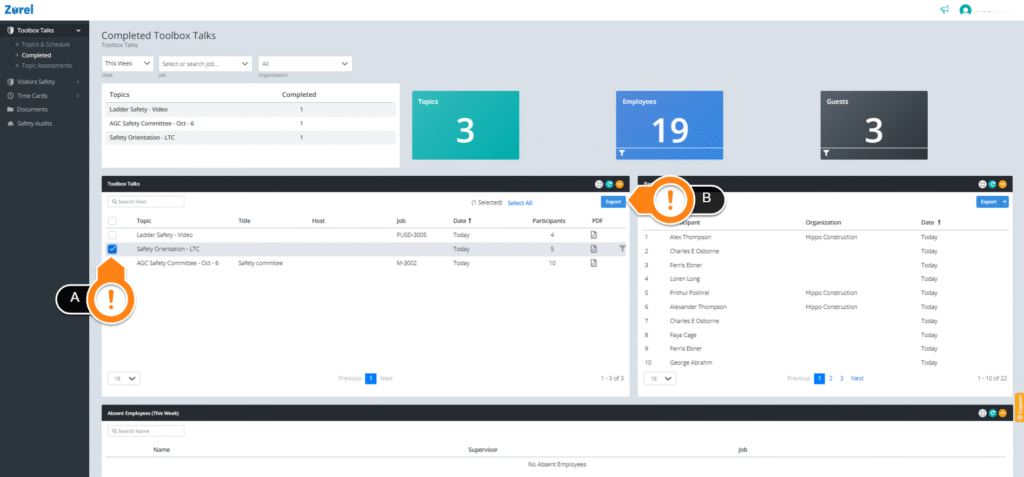
After the Completed Toolbox Talks page opens, select the toolbox training you are interested in (A). You may select more than one training. Then click on the Export (B) button to download. The download duration of a PDF file may be longer depending on the number of files selected.