
SI-Job’s Settings
Safety Inspector – Job’s Settings page lets you change the settings for inspection items and categories for each job.
You can navigate to this page by clicking on any job from the Jobs Page.
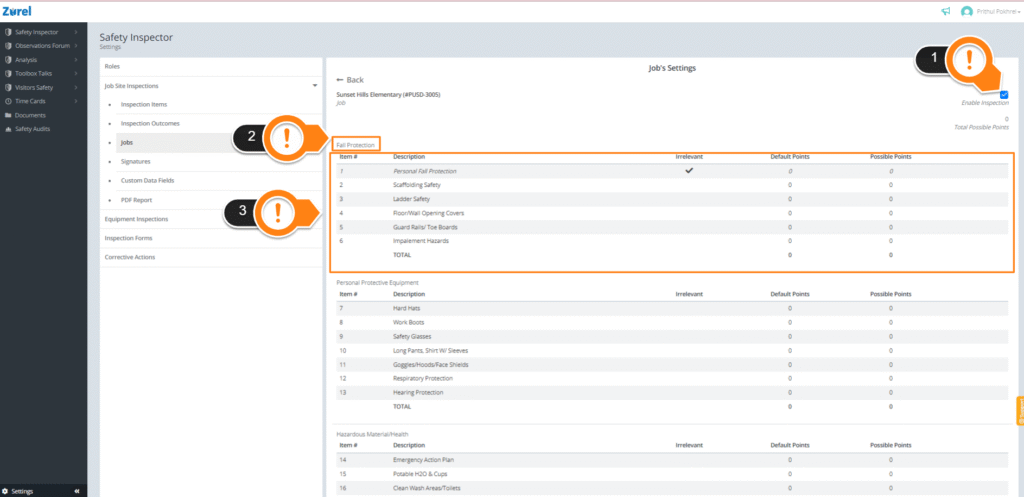
This page has the following items (as labeled above):
1. Enable Inspection
This checkbox lets a user inspect the selected job.
2. Category
This is the name of the category the inspection items belong to.
3. Item list
This list lists the items in a category. It has the following columns:
- Item#
The order of the items. - Description
The full name or description of the items. - Irrelevant
The checks in this column indicate if an item is irrelevant to the safety inspection. - Default Points
The points that were set for the inspection items in the inspection items page. - Possible Points
The points that can be set for the inspection items of a specific job. If the possible points and default points don’t match, possible points appear red on the Jobs Page.