How to find out if I have already been registered?
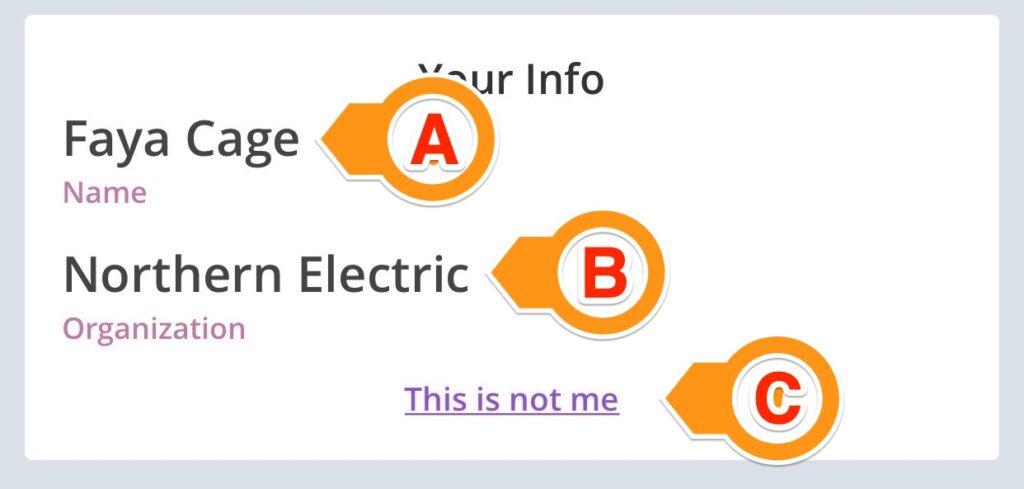
Open the sign-in page by scanning a site QR code using your smartphone’s camera or by clicking the sign-in link sent to you. If the sign-in page loads with your name (A) and organization (B), you are already registered. If the information is not yours, select “This is not me” (C) to look yourself up (step 2).
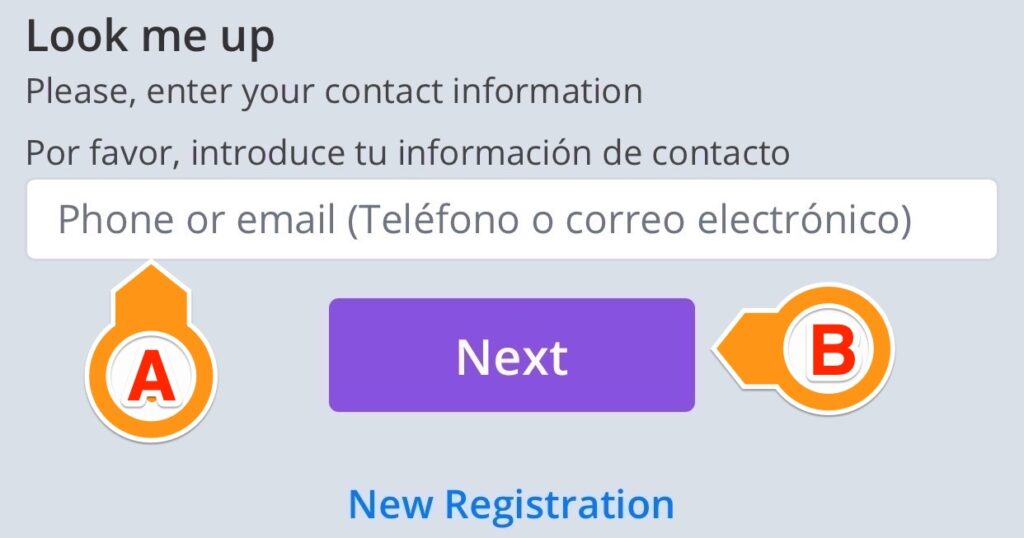
If the sign-in page loads with “Look me up” (or you selected “This is not me” in step 1), enter your 10-digit phone or your email address in the text box (A) and select “Next” (B).
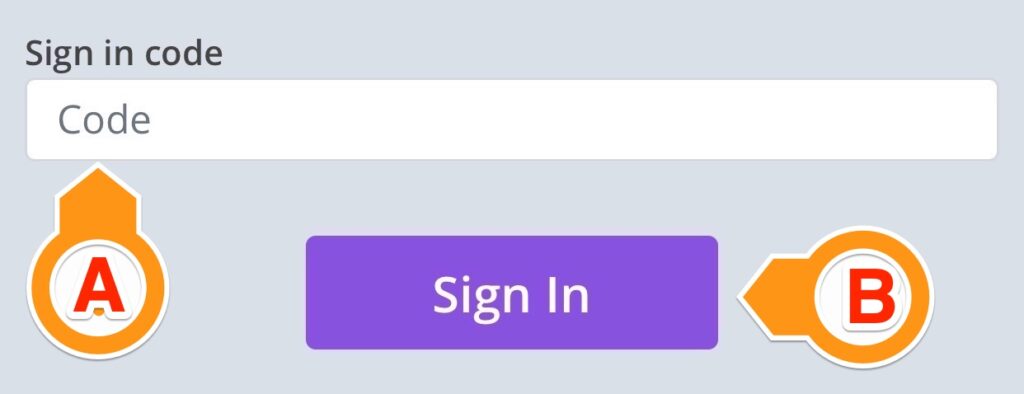
After entering your phone number or your e-mail address, the sign-in page may load with the “Sign-in code” text box (A). It means the contact information you provided has been used to register someone, most likely you. You will receive a sign-in code at the phone number or the e-mail address you entered. Enter the code and select “Sign In” (B). The page reloads with your information (see step 1 above).
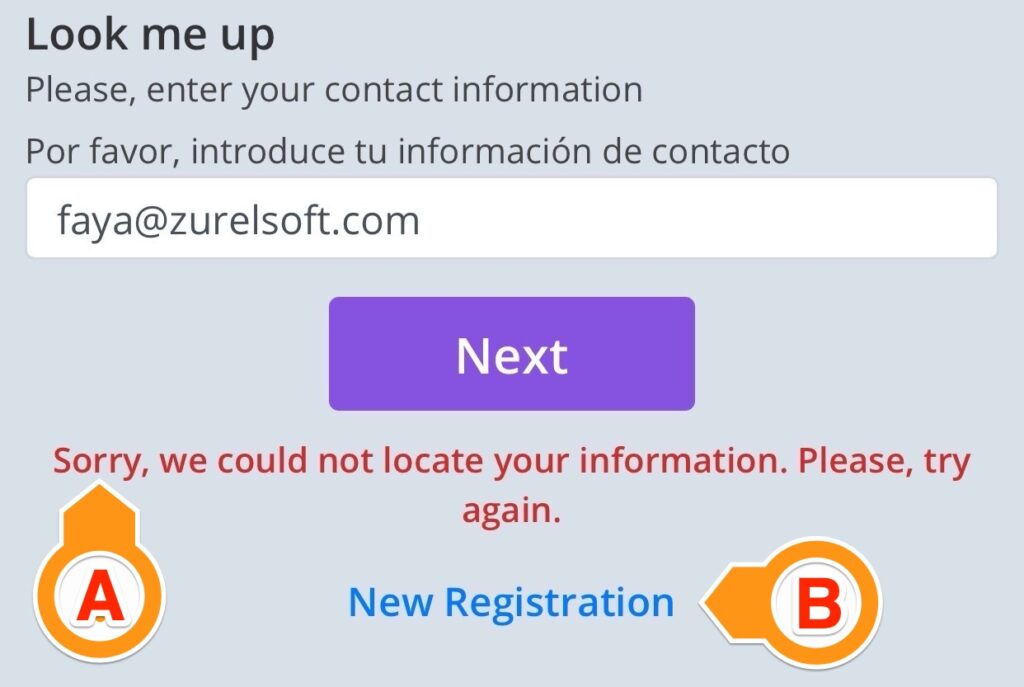
After entering your phone number or your e-mail address in step 3, the sign-in page may reload with an error message (A). It means the contact information you provided has not been used to register anyone. You can either try again with different contact info or continue registering by clicking “New Registration” (B).