
Receiving and Accessing Document Comment Notifications
Learn how to view notifications and reply when someone mentions you in document comments, so you can stay updated and respond quickly.
- Go to the Job Docs dashboard.

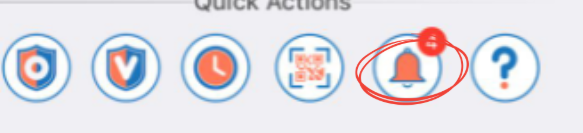
- On the top right, click the notification icon (bell) as shown in the image above.
- If someone mentions you, you will see a notification with their mention.
- Click the notification to open the comment thread and reply.
- Go to the Job Docs dashboard.
- On the top right, tap the notification icon (represented by a bell).
- If someone mentions you, you will see a notification with their mention.
You may also receive a push notification on your mobile device. - Tap the notification to open the comment thread and reply.
Alternative way on Mobile:
- From the Home page, look at the bottom menu.
- Tap the notification icon (bell).
- Select a notification to open the comment thread and reply.
💡 Tip
- Check your notifications regularly so you don’t miss important updates or team mentions.
JD-012